Starting route and controls
How to play Pixel Basketball
Roblox game only. Phone-app controls are a different product — EZ Games.
Finish the tutorial, then pick an open spot in The Park. Solo, 1v1, and 5v5 are the modes the developer named.
Last checked: 2026-10-27. Snapshot facts use 2026-10-27.
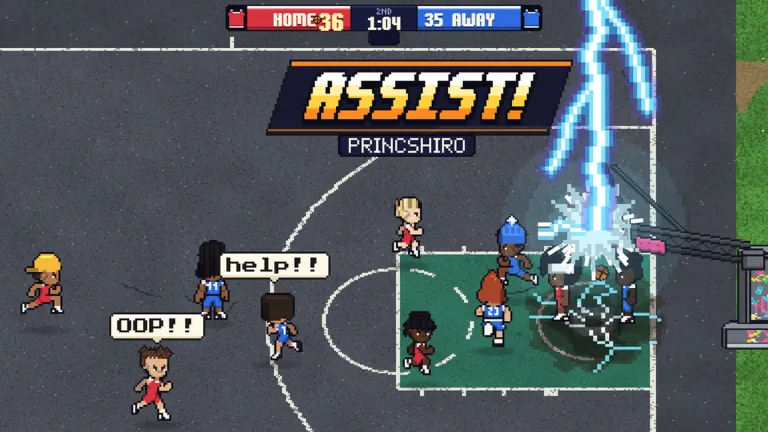
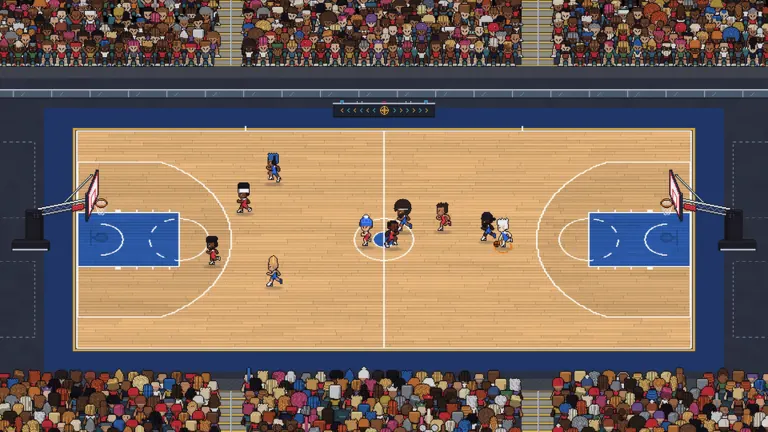
The official description, copied from the Games API on 27 October 2026, says you pick any open spot, play solo, 1v1, or full 5v5 on the beach, in the gym, or at the park, and rebind keys in Settings. UrGameTips and pixelbasketball.online both add a tutorial before The Park. UrGameTips independently agrees with Destructoid on the tutorial/Park route. The court list and Settings wording are a single primary source: Roblox. General platform support does not establish specific buttons.
| Action | PC | Phone | Console | Source |
|---|---|---|---|---|
| Move | Not verified for this experience. | Touch mapping not verified. | Controller mapping not verified. | Platform support in the description, plus Roblox Help |
| Shoot, pass, dribble, steal, block | Rebind in Settings | Exact buttons not verified. | Exact buttons not verified. | “Rebind your keys in Settings” |
| Camera | Roblox Help describes platform camera settings. | Experience-specific behavior not verified. | Experience-specific behavior not verified. | Roblox in-experience Help |
| Default map | Not published | Not published | Not published | Gap. Left blank on purpose. |
Roblox documents an in-experience Help menu for keyboard shortcuts, mouse, and touch gestures, and a Settings menu for volume, camera, graphics, and accessibility: In-experience Settings and Help. That article is about Roblox as a platform. It is not a Pixel Basketball bind sheet.
More on the green window: shooting. Mode limits: game modes. Codes are redeemed after you can reach The Park.
Video
Ultimate Guide & Tips to WIN - Pixel Basketball Roblox by MySpaceGuide. Upload date 2026-10-21 (YouTube metadata, single source). The player loads only after you click.
FAQ
What are the default keys?
The reviewed Roblox description says to rebind in Settings. A controls page on pixelbasketball.online marks default binds as TBA. This does not prove no key map exists elsewhere. I will not fill the gap with WASD from another basketball game.
Does it support a controller?
The description says it plays on PC, mobile, and console. It does not print a button map. On console you are inside the Roblox app, using that platform’s Roblox controls plus whatever this experience binds.
The game will not load. What can I check?
I did not find a Pixel Basketball-specific support article. Roblox’s requirements page recommends a supported OS and connection. Exact requirements are attributed on the download page. Those are general checks, not a promise that they fix this place.